
Monitor and replay
The Webhook deliveries panel gives you real-time visibility into how a webhook is performing. It shows delivery success rates, in-progress events, and a full log of failed deliveries for any time window you choose. From the panel, you can review failure reasons and replay failed events directly, without contacting Ocrolus support.
Access the deliveries panel
-
Go to Dashboard > Account & Settings > Webhooks.
-
Click any configured webhook row.
-
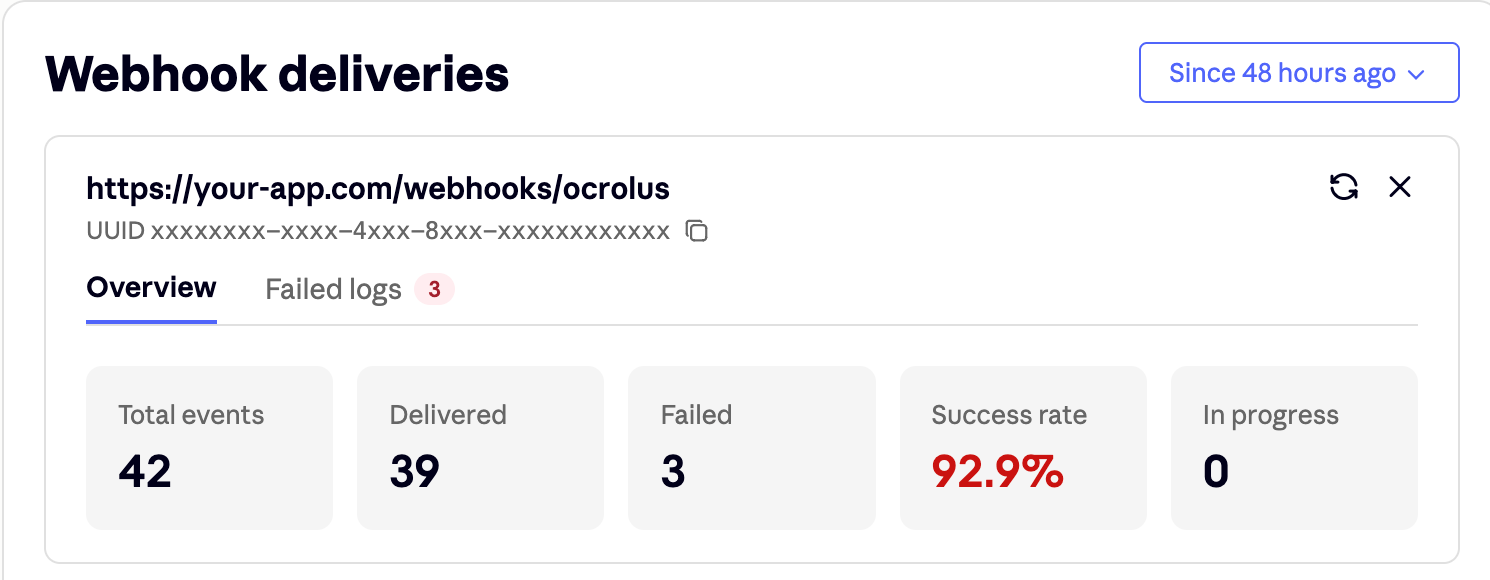
A Webhook deliveries panel appears. Use it to review the webhook's outbound URL and UUID, and to navigate between two tabs: Overview and Failed logs.
Choose a time range
Use the range selector in the top-right corner to scope both tabs to a specific window. You can choose from relative presets ranging from 10 minutes to 48 hours, or set a custom start and end range. Select Refresh to re-fetch the latest stats and logs for the currently selected window.
Overview tab
The Overview tab displays five tiles that summarize delivery health for the selected time window.
| Tile | Description |
|---|---|
| Total events | All webhook events triggered in the selected window. |
| Delivered | Events your endpoint acknowledged successfully. |
| Failed | Events your endpoint returned an error for, or that never received a response. |
| Success rate | Delivered ÷ (Delivered + Failed). Pending deliveries are not counted until they conclude. |
| In progress | Events currently being processed. |
Failed logs tab
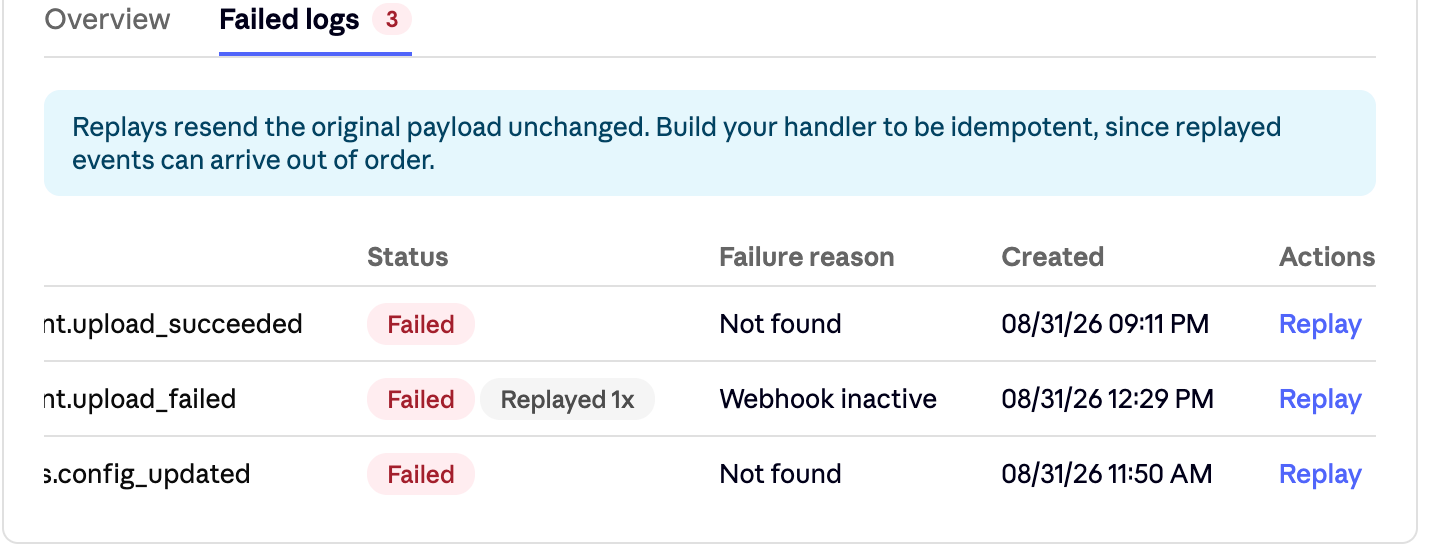
The Failed logs tab lists every failed delivery in the selected window, newest first. Each row includes the following columns:
| Column | Description |
|---|---|
| UUID | The unique identifier for the notification log. |
| Book UUID | The Book associated with the event, if any. |
| Event | The event type, for example document.upload_succeeded. |
| Status | Displays Failed, with a Replayed N× badge if the event has been retried. |
| Failure reason | The HTTP response your endpoint returned when Ocrolus attempted delivery. |
| Created | When the delivery attempt was made, in your browser's local time. |
| Actions | A Replay link to resend the event. |
Replay a failed delivery
Select Replay on any row to resend that event's original payload, unchanged. A replay can complete after newer events have already been delivered. Build your endpoint to be idempotent and tolerant of out-of-order delivery. Do not assume replayed events always arrive in the original sequence.
See also
Learn how Ocrolus webhooks work and how to use them to receive real-time event notifications.
Set up, update, and manage your webhook endpoints from the Ocrolus Dashboard.
Configure webhooks that apply across your entire organization.
Learn how to verify webhook signatures and secure your webhook endpoints.
Updated 2 months ago