
Self-employed income
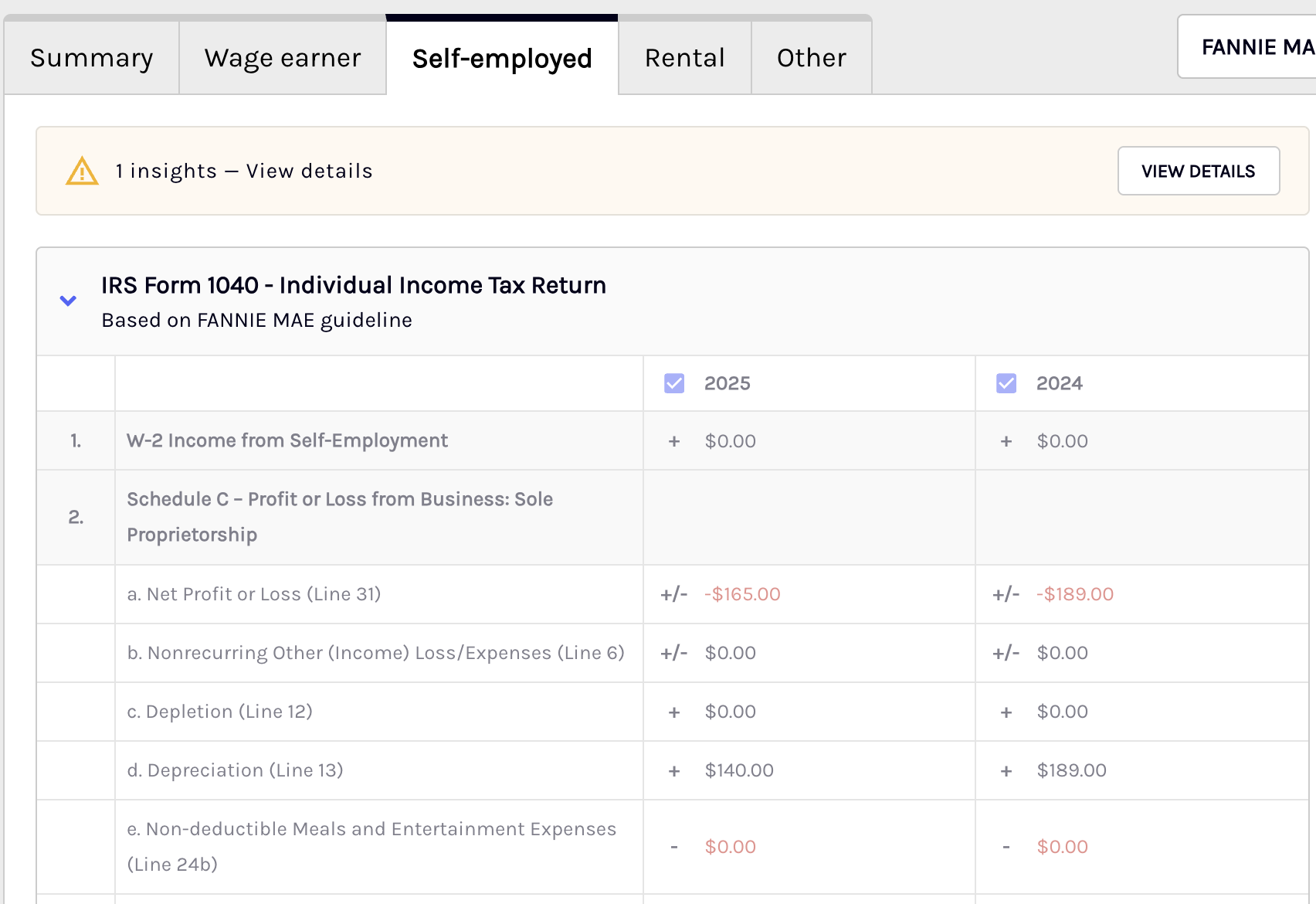
Self-employed income refers to earnings generated by individuals who work for themselves, such as from businesses, freelance work, or contract work. Ocrolus analyzes this income using tax documents like 1099s or Schedule C forms to assess financial health and income stability. In Encompass, self-employed income is entered into the loan origination system (LOS) to calculate qualifying income for borrowers, often requiring a review of tax returns, profit, and loss statements, and other documentation to ensure accurate income reporting for loan purposes.
Ocrolus generates income calculations for self-employed income for the following business structures:
- Sole Proprietorships
- Income or Loss reported on IRS Form 1040 - Schedule F
- Partnerships
- Limited Liability Companies
- S Corporations
- Corporations
Documents utilized
This table lists the supported self-employed income document types. Any document not listed is not currently used for this purpose. To learn more about the type of documents Ocrolus supports, see the All supported document types section.
Note
- For 1065 and 1120S documents, uploading the corresponding Schedule K-1 document is required in all scenarios.
- For 1120 documents, the corresponding Schedule G must be uploaded to create borrowers.
| Income types | Documents |
|---|---|
| Interest and Ordinary Dividends | 1040 Schedule B (2018) , 2019, 2020, 2021, 2022, 2023, 2024, and 2025 |
| Sole Proprietorships | |
| Capital Gains and Losses | 1040 Schedule D (2018), 2019, 2020, 2021, 2022, 2023, 2024, and 2025 |
| Supplemental Income or Loss (Royalties) | 1040 Schedule E (2018), 2019, 2020, 2021, 2022, 2023, 2024, 2025 |
| Profit or Loss for Farming | 1040 Schedule F (2018), 2019, 2020, 2021, 2022, 2023, 2024, 2025 |
| Partnerships | |
| S Corporations | |
| Corporations |
Form 1125-E fallback for 1120 (S-Corp) income
When a borrower's Form 1120 tax return is missing Schedule G, the system automatically falls back to Form 1125-E (Compensation of Officers) to keep processing moving. Form 1125-E is used to identify the borrower, determine their ownership percentage, and compute officer compensation, all of which would otherwise come from Schedule G. Schedule G remains the primary source when present, and this fallback only applies when it is absent. If Form 1125-E lists multiple officers, the system creates a separate borrower entity for each one. When W-2s are not available for the same business, officer compensation drawn from Form 1125-E is also used as the basis for income calculation.
Income calculation guidelines
It is recommended to adhere to the following key guidelines while doing income calculation using Ocrolus:
- If any of the tax documents mentioned above are available for the current year, income is generated for both the current and past year. If not, income is generated for the most recent two years from the relevant forms.
- Ocrolus generates an income analysis with one year of tax returns but can use up to two years. Best results are provided when two years of documents are available.
- Interest and Ordinary Dividends, Capital Gains/Losses, and Royalty Income are all considered separate from self-employed income sources and will be grouped in the Other section. For Capital Gains (Schedule D) and Interest and Ordinary Dividends (Schedule B), Ocrolus applies trend-aware logic, using the most recent year's figure when income is declining, and recommending $0 when the most recent year shows zero income, rather than defaulting to a 2-year average.
- The Sources panel reflects only the pages of the forms where data was collected for income analysis. You can view the full document as uploaded and grouped by Ocrolus within the classification flow by selecting the View Full Document link.
- The document preview panel is draggable. Click and drag the panel header to reposition it anywhere on the screen, making it easier to view income calculation fields and the source document at the same time. The panel returns to its default position when you navigate away from the page.
- All displayed values are directly extracted from the documents, but users can manually edit any values if needed.
Note
- Ocrolus typically uses a two-year average for income calculations, except where trend-aware logic applies (see Capital Gains and Interest and Ordinary Dividends below). For VA and USDA income guidelines, the lesser of the most recent year's income or the two-year average is used, provided a full two-year history is available.
- Income rows that cannot be populated from the uploaded documents are displayed as greyed out rather than blank or zero. Greyed-out rows are read-only. Uploading the relevant missing pages and reprocessing the book will restore them to an editable state.
- For Capital Gains (Schedule D) and Interest and Ordinary Dividends (Schedule B), Ocrolus applies trend-aware logic:
- If the most recent year's income is $0, the system recommends $0, no averaging is applied.
- If income is declining year-over-year, the most recent year's figure is used instead of the 2-year average.
- The 2-year average is used only when income is stable or increasing.
- When either income type is used in qualification, a continuance alert will prompt you to confirm the underlying asset is expected to continue for a minimum of 3 years, per Fannie Mae guidelines.
Greyed-out income rows
When a self-employed income row appears greyed out in the Analyze dashboard, it means Ocrolus identified the field as part of the income calculation but could not collect a usable value from the uploaded documents. This is distinct from a row that displays $0, which represents a calculated result of zero income.
A row may be greyed out for any of the following reasons:
- The document pages required to populate that field are missing from the uploaded set.
- The extracted value is ambiguous or falls outside expected parameters, and Ocrolus has not applied it to the calculation.
- The field is not applicable to the borrower's business structure. For example, a Corporation-specific line on a Sole Proprietorship return.
Greyed-out rows are read-only and cannot be manually edited. To resolve a greyed-out row, upload the missing or corrected document pages and allow Ocrolus to reprocess the book.
NoteA greyed-out row does not generate an income alert on its own. If a missing field is material to the qualifying income calculation, a separate income alert may appear prompting the lender to review. See Income alerts for details.
Liquidity ratio
For mortgage lenders, the liquidity ratio is computed for self-employed borrowers using 1065, 1120S, or 1120 business tax returns. To know more about the liquidity ratio, see the Liquidy ratio section.
Employment start date sourced from Encompass
Analyze pulls the borrower’s employment start date directly from Encompass to improve income calculation accuracy and reduce manual data entry. This applies to both wage-earner (borrower/employer) and self-employed (borrower/business) income, with entity matching to ensure the correct association.
The employment start date is visible in the Dashboard and can be manually edited by lenders. When Encompass is used as the source, Analyze displays a low-severity alert prompting lenders to provide supporting documentation. If a WVOE form is available, its start date is prioritized as the source of truth. This supports both Ocrolus income and Fannie Mae income start date fields.
Updated 3 months ago